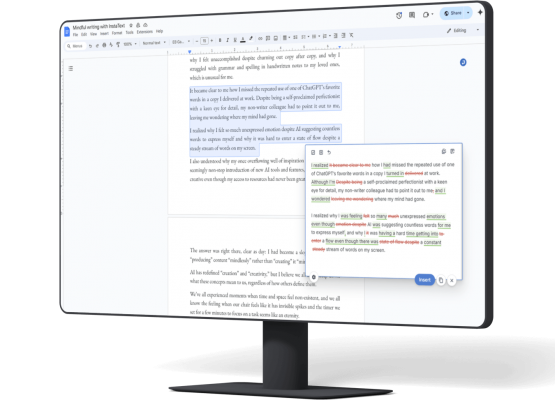
Writing academic papers in LaTeX is a standard practice in research and technical fields because it gives authors precise control over formatting, references, and structure.
LaTeX (pronounced la-tech or lay-tech) helps eliminate many of the common issues in formatting manuscripts – it keeps references consistent, standardises formatting across sections, and allows authors to easily integrate tables, figures, and equations into the text.
The most popular online editor for LaTeX documents is Overleaf. It provides a browser-based environment where you can write and edit LaTeX code on one side of the screen and instantly see the compiled version of your formatted document on the other. This makes it easy to write, collaborate, and export your finished work as a professional-quality PDF – all without installing additional software.

InstaText for Overleaf (LaTeX editor)
InstaText for Overleaf brings advanced language improvement into this workflow. It helps you refine the clarity, tone, and readability of your writing directly within the Overleaf editor, without affecting LaTeX commands or formatting.
It combines the technical precision of LaTeX with the linguistic refinement of InstaText, making academic writing clearer, faster, and more effective. This enhances your chances of publication, shortens the time to publication, and helps ensure your work meets professional and journal standards.
See also: Why InstaText is your best bet for getting published
Why academics use InstaText for Overleaf
For researchers, students, and professionals who rely on LaTeX, InstaText helps bridge the gap between technical accuracy and clear communication. While LaTeX handles the structure, InstaText ensures that your ideas are expressed naturally and professionally.
By integrating InstaText into Overleaf, you can polish your text while keeping every equation, citation, and command intact. It’s particularly useful when preparing manuscripts, dissertations, or research proposals that must meet strict originality and authorship standards.

Your writing stays yours
InstaText improves what you’ve already written – without generating new content. Your voice, meaning, and authorship stay intact.
This matters in academic publishing. Many journals and conferences now restrict or prohibit AI-generated content. By using InstaText, you can confidently improve your writing while maintaining full compliance with originality and authorship guidelines.
| Technology | Generative AI | Non-generative advanced language technologies |
| Definition | Creates new content based on input data | Analyses, processes, or improves existing content |
| Primary use | Content generation and creative tasks | Text analysis, editing, and comprehension tasks |
| Interaction method | Prompt-based: Yes ✅ (Users provide specific prompts to create new content.) | Prompt-based: No ❌ (Users input existing text for editing or analysis.) |
| Examples | ChatGPT DALL·E Midjourney Canva (Magic Write) Copy.ai | Google Translate IBM Watson Natural Language Understanding Google Cloud Text-to-Speech InstaText |
How it works
InstaText for Overleaf is available through the InstaText browser extension, compatible with all Chromium-based browsers, including Chrome, Edge, Brave, and Opera. Once installed, it integrates directly into the Overleaf editor.


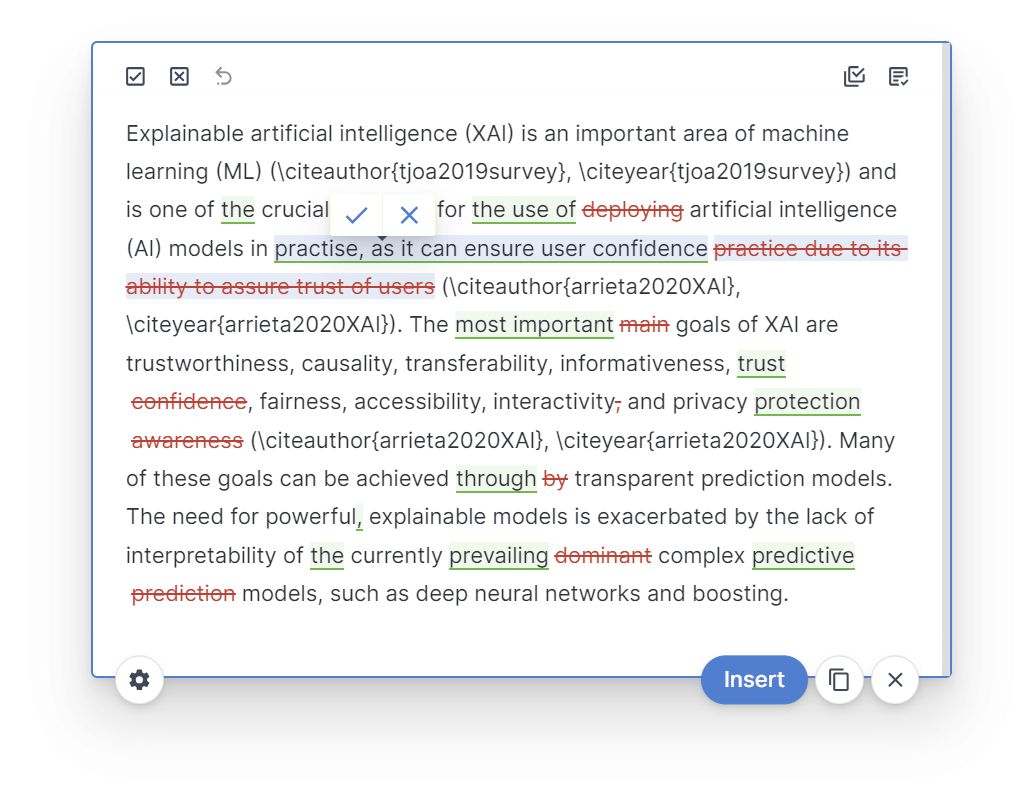
To use it, simply select the text you want to improve. An InstaText button will appear next to your selection. Click it – or press Ctrl+D (Cmd+D on Mac) – to open InstaText alongside your document.
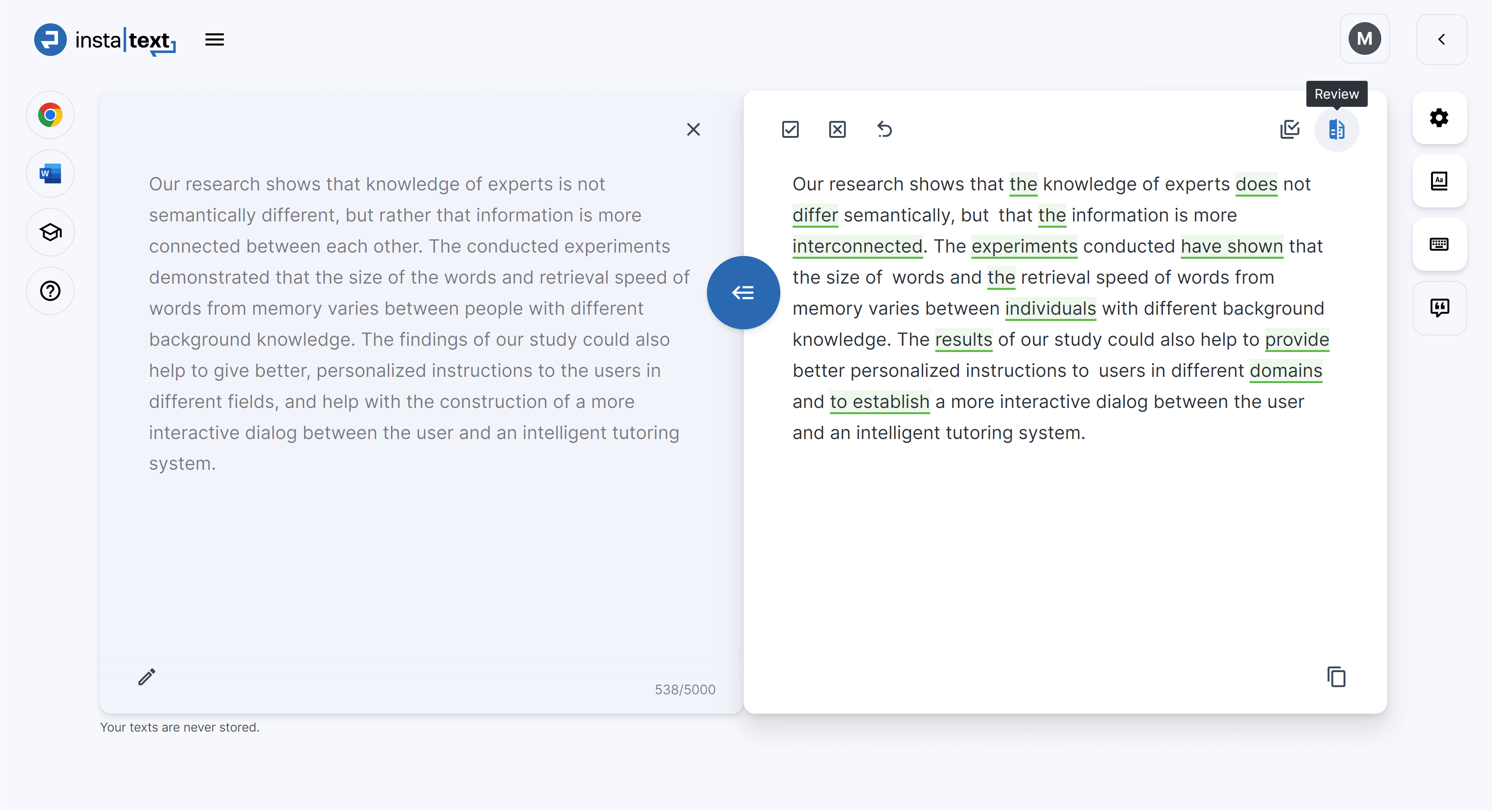
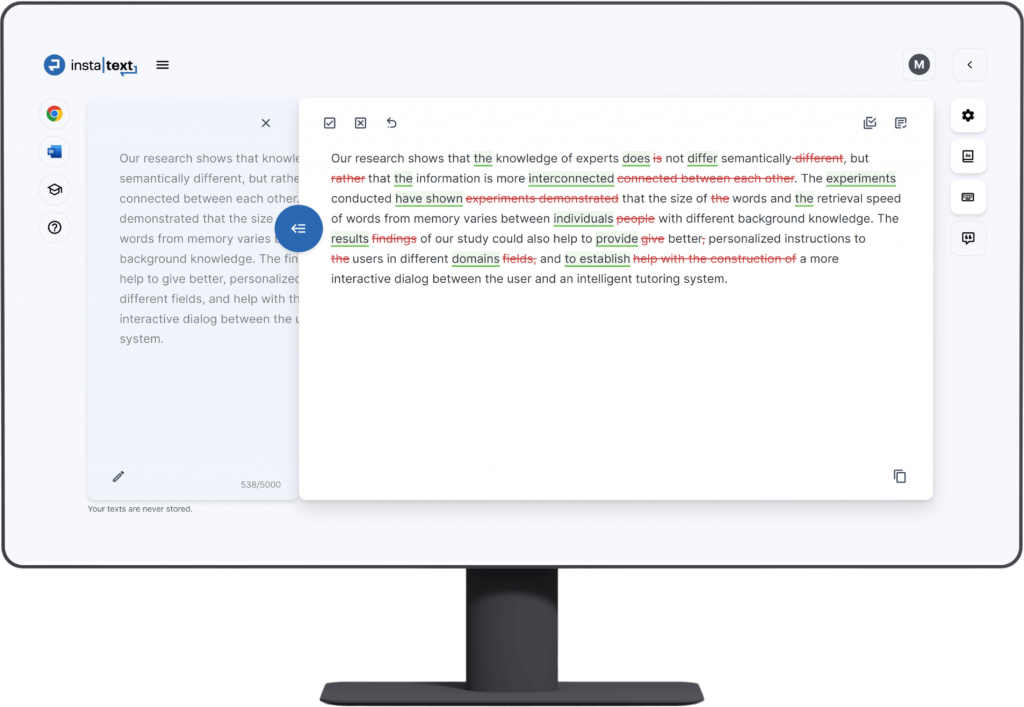
The tool instantly provides real-time language suggestions that go beyond basic spelling and grammar checks, enhancing clarity, readability, and overall impact. You can review the changes and accept or reject them individually.
InstaText edits only your sentences and leaves all LaTeX commands (such as \ref, \cite, and \section) untouched, ensuring that your technical formatting and citations remain exactly as they are.
Key features and customisation settings
The same features available in the web-based InstaText Editor are also accessible in Overleaf. You can adjust your writing preferences to ensure your academic papers reflect your voice and meet publication standards.
In Overleaf, you can:
✅ Switch between British and American English to match your target publication.
✅ Adjust the formality level (formal, informal, or auto) depending on the audience or journal.
✅ Use your Personal dictionary to keep key terms, names, and expressions unchanged – both individual words and multi-word combinations.

You can also toggle between two editing modes:
🟪 Revise mode (default), used for active editing and applying improvements.
🟪 Review mode, which allows you to read the text with all suggestions accepted for a clean, final view.
These settings help maintain consistency and accuracy throughout your manuscript while preserving your writing style and discipline-specific terminology.
Benefits for academic writing
InstaText was developed by academics for academics. It helps researchers and students communicate their ideas clearly, concisely, and professionally while saving time in the revision process.
By using InstaText in Overleaf, you can:
- Easily improve the clarity, readability, tone, and structure of your text.
- Focus on research content instead of spending hours rewording sentences.
- Produce manuscripts that meet publication and peer-review standards.
- Maintain authorship and comply with originality requirements.

InstaText is particularly useful in the editing stage, where precision, readability, and consistency have the greatest impact on publication success.
Many researchers have found that using InstaText during this stage can significantly increase acceptance rates and shorten the time to publication, thanks to clearer, more professional language and consistent presentation.
See also: ChatGPT vs. InstaText vs. Grammarly for writing
Works across your writing workflow
InstaText integrates seamlessly with other tools and platforms, making it easy to maintain consistent quality wherever you write. You can use the same account and settings across:
– The web-based Editor, where you can export improved text as a Word file (with or without Track Changes) or share it securely via a link.
– Microsoft Word, using the dedicated InstaText add-in for in-document editing.
– More than 20 other platforms, including Gmail, Google Docs, Slack, and LinkedIn, via the browser extension.
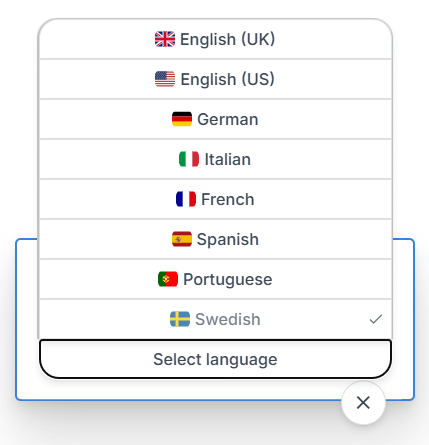
InstaText also supports editing in multiple languages – English, Spanish, French, German, Italian, and Portuguese – all included in the InstaText One plan at no additional cost.
Privacy and control
InstaText prioritises privacy and user control. It never stores or shares your text, and nothing happens automatically. You decide when to activate InstaText and which edits to accept. All processing happens securely in your browser, giving you complete control over your writing.
From drafting to publication
Whether you’re preparing a journal article, thesis, or grant proposal, InstaText for Overleaf helps you write with confidence and precision. It improves the clarity and professionalism of your work without altering technical content or compromising originality.
If you haven’t tried it yet, visit instatext.io to see how InstaText supports academic writing from drafting to publication – across Overleaf, Word, and many other platforms.
What our academic users say
“This looks amazing. As a professor of Neuroscience who has gotten old publishing 75 papers, I wish InstaText were available during my times. Love it.”
— Lawrie Rajendran, University Professor
“I find InstaText very helpful. It makes me much faster in writing papers. I’m a perfectionist and usually spend (way too) much time finding the right words and making sure that sentences are easily readable even if the concepts are arbitrarily complicated. InstaText makes my life easier. I recommend it to any PhD student or researcher, whether a native English speaker or not.”
— Giulia Guidi, PhD Student
“I have been using InstaText since October 2021, primarily for academic writing. I switched from another software that did not help me write more like a native English speaker – it merely corrected typos, grammar, and punctuation. InstaText, on the other hand, makes your text engaging to read, coherent, and professional-looking.
It is a huge help for an academic writer because rather than focusing on making the text appealing, you can simply focus on what you want to say and build a logically unfolding narration. I will more than certainly subscribe for another year – InstaText is definitely worth the price.”
— Michał Folwarczny, Postdoctoral Researcher