- Proofreading vs. editing
- What proofreading tools do
- What InstaText does
- Editing depth and quality
- Specialised multilingual editing
- User control and learning effect
- Workflow integration
- Summary: InstaText vs. proofreading tools
- Where InstaText fits best
InstaText, an advanced editing assistant, and proofreading tools like Grammarly both help you write better, but they work in different ways, and understanding this can help you choose the right solution.
Proofreading tools focus on spelling and grammar checks, while InstaText combines those corrections with deeper improvements to clarity, structure, flow, and word choice, helping ensure that ideas are communicated clearly and effectively.
As a result, they support different stages of the writing process, from final error correction to deeper language editing across academic, professional, and everyday writing.
See also: InstaText vs. generative AI tools
Proofreading vs. editing
Writing is typically a multi-stage process that includes drafting, editing, and proofreading. Each stage plays a specific role.
Drafting is about getting ideas onto the page. Editing is about refining those ideas so they are clear, logical, coherent, and effective. Proofreading is about removing language errors – such as spelling, grammar, and punctuation – before final submission or publication.
Many writing experts consider editing the most important phase, because it is where ideas are shaped into clear, well-structured, and effective communication. Grammar and spelling alone are not enough to achieve this level of quality.
A simplified view
| Stage | Purpose |
| Drafting | Developing ideas and writing the first version |
| Editing | Improving clarity, structure, flow, tone, and logic |
| Proofreading | Correcting grammar, spelling, punctuation, and formatting |

Proofreading tools operate mainly in the last stage of the writing process. InstaText is designed for the editing stage, while also correcting the same basic language errors that proofreading tools do.
What proofreading tools do
Proofreading tools, such as Grammarly, focus primarily on language correctness. They are effective at detecting and fixing grammar mistakes, spelling errors, punctuation problems, and some wording issues.
Their purpose is to ensure that a text meets basic standards of language accuracy. This is valuable for texts that do not require major improvement.
However, a text can be grammatically correct and still be unclear, repetitive, poorly structured, too wordy, or lacking impact. Proofreading alone does not address these deeper communication issues.
“Of course, there’s Grammarly, a writing assistant that checks the spelling, grammar, punctuation, and clarity of your writing, corrects common errors, and occasionally gives you suggestions for rewording. The thing about Grammarly, though, is that it’s a good proofreader, but not an editor. And, as any skilled writer will be happy to tell you, the editing is the secret.”
— Jim Stonos, Writer and Editor
What InstaText does
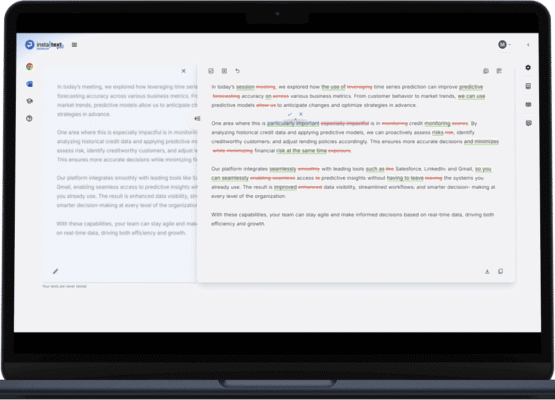
InstaText also fixes grammar and spelling mistakes, but does much more. It is built to improve how ideas are communicated, rather than simply ensuring sentences are correct.
It performs high-precision deep language editing focused on clarity, structure, flow, tone consistency, word choice, conciseness, and overall impact.
Instead of simply fixing errors, InstaText helps turn rough or dense writing into clear, natural, professional language while preserving the author’s original meaning and voice.

See also: InstaText Editor
Editing depth and quality
Proofreading tools usually operate at the sentence level. They rarely restructure sentences in a meaningful way, improve the logical flow between paragraphs, or refine how arguments and explanations are presented.
In contrast, InstaText works at both the sentence and paragraph level. It can clarify vague phrasing, reorganise long or confusing sentences, reduce repetition, strengthen transitions between ideas, and adapt tone to formal or informal contexts.
This deeper level of editing is especially important in academic and professional settings, where quality of expression matters as much as correctness.
“This tool is outstanding, exceeded my expectations. I’m used to using Grammarly but InstaText is a more thorough tool and comes up with much better suggestions for rewrites. A game changer for editing.”
— Stephan Skovlund, Business Consultant
Specialised multilingual editing
Another key difference is language support.
Most proofreading tools are optimised primarily for English and, in some cases, a small number of major languages. Their editing depth often drops significantly outside those languages.
InstaText is designed for specialised editing across multiple languages. It supports deep editing in six major languages (English, Spanish, French, German, Portuguese, and Italian), as well as more than 40 additional local languages, depending on the region (such as Slovenian, Malay, and Hindi). Quick language switching is available directly inside the editor.
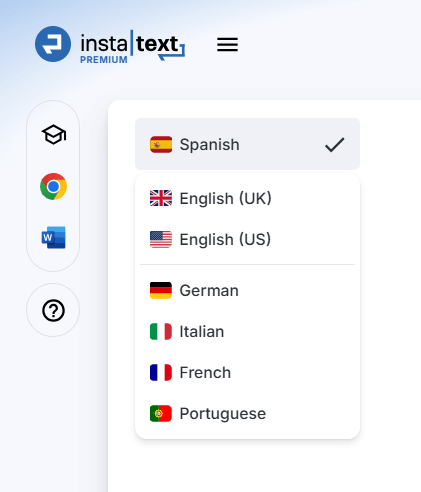
This allows users to improve clarity, structure, and tone in different languages with the same level of precision and quality, without relying on separate tools or interrupting their workflow.
For researchers publishing internationally, professionals working with multilingual clients, students studying abroad, or global teams collaborating across borders, this makes InstaText a practical writing companion, rather than just a grammar or spell-checking tool.
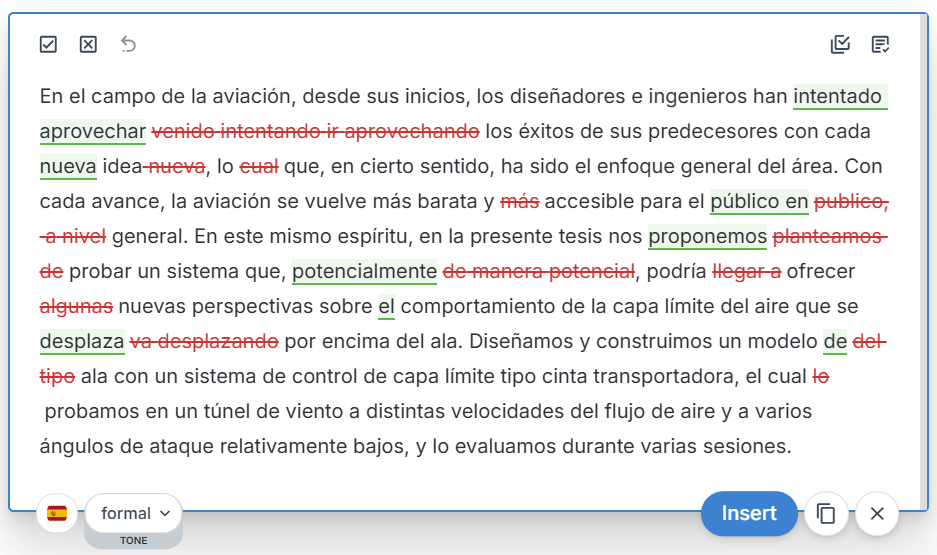
See also: High-quality multilingual editing with InstaText
User control and learning effect
InstaText shows suggestions directly in the text and allows users to accept or reject each change. Nothing is applied automatically.
This transparency helps writers understand why edits are suggested and gradually improve their writing and cognitive skills when they actively engage with the interactive feedback.

InstaText gives you one clear suggestion per issue – not multiple options to choose between. This makes editing faster and reduces cognitive load.
Proofreading tools also typically show suggested changes and allow users to review them, but the feedback is usually more limited in scope and depth.
They are effective at fixing errors, but the number and type of suggestions tend to focus on surface-level issues, which contributes less to long-term writing and cognitive development compared to a dedicated editing assistant.
In addition, some proofreading tools present multiple suggestions for the same issue, which can increase cognitive load and, at times, result in a slower editing workflow.
See also: How InstaText improves writing and cognitive skills
Workflow integration
There is also a practical difference in how these tools fit into daily writing.
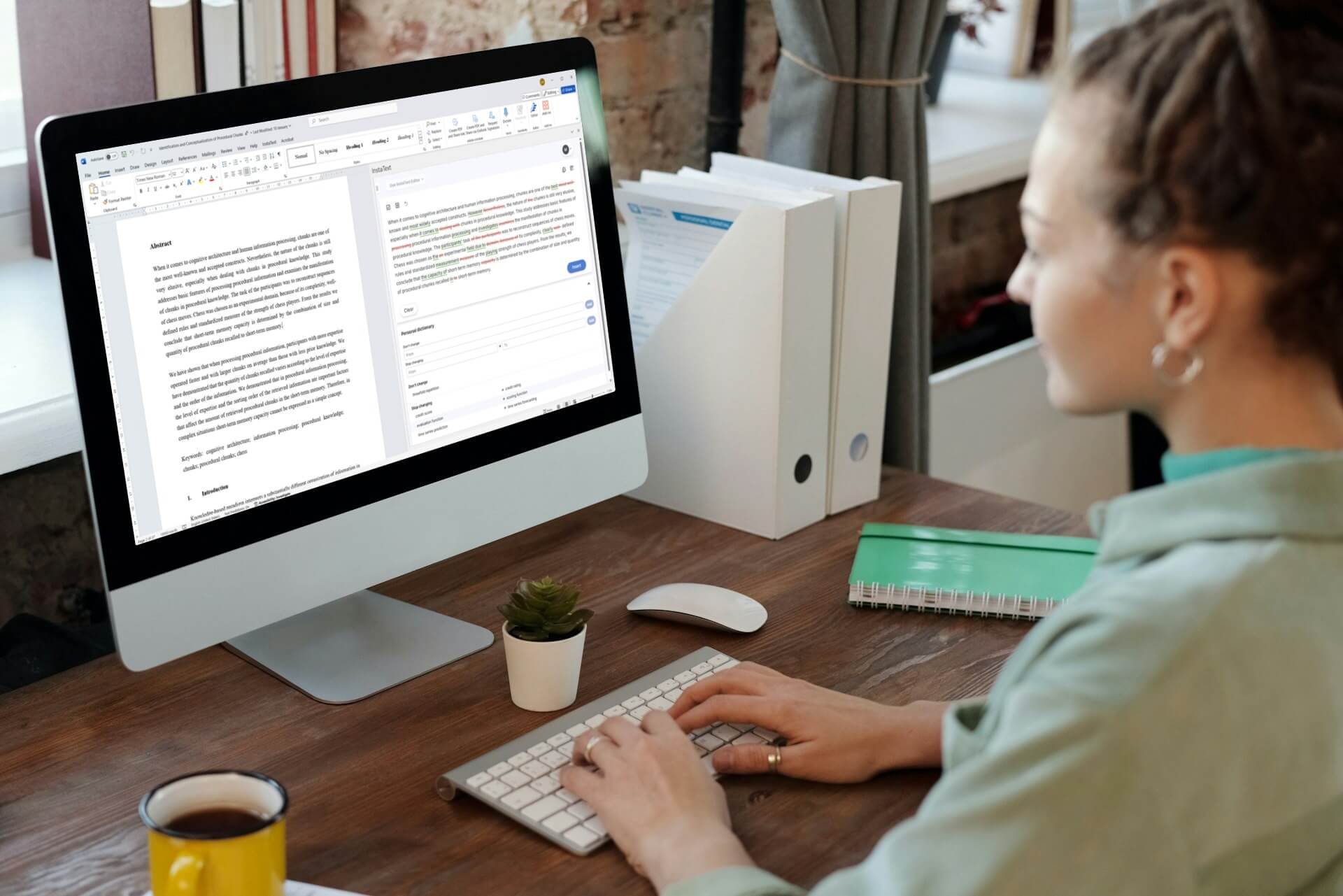
InstaText integrates broadly into common writing environments. It works through a browser extension across over 20 platforms and is also available in Microsoft Word, including support for Track Changes. This allows users to edit directly where they already write, without switching tools or copying text back and forth.



Proofreaders vary by tool. Some integrate directly into common writing environments, such as Google Docs, Gmail, and LinkedIn, while others work primarily through a web-based interface. This often results in narrower workflow coverage than a full editing assistant designed to be used across many environments.


















Summary: InstaText vs. proofreading tools
Key differences
- Proofreading tools focus on grammar and spelling, while InstaText improves clarity, structure, and overall expression.
- Proofreading tools aim for correctness, but InstaText aims for communication quality.
- Proofreading tools usually make sentence-level fixes, while InstaText performs deeper language editing.
- Proofreading tools offer limited support for long-term writing improvement, but InstaText supports writing and cognitive skills development.
- Proofreading tools vary in integration, while InstaText supports editing across 20+ platforms via its browser extension and includes a Microsoft Word add-in.
- Proofreading tools usually support fewer languages or offer reduced editing quality outside English, but InstaText delivers the same high-precision, in-depth editing across six major and 40+ local languages.

Quick comparison
| Aspect | InstaText | Proofreading tools |
| Grammar and spelling correction | Yes | Yes |
| Editing approach | Deep language editing | Error correction |
| Sentence restructuring | Yes | Rare |
| User control over edits | Full (accept or reject each edit) | Varies by tool |
| Writing and cognitive skills development | Strong | Limited |
| Typical editing depth | Paragraph and document level | Sentence level |
| Multilingual deep editing | Yes (6 major and 40+ additional languages) | Limited |
| Workflow integration | Broad (browser extension across 20+ platforms + Microsoft Word) | Varies by tool |

Where InstaText fits best
Proofreading tools remain useful for basic corrections. InstaText is better suited for writers who want their text to be not only correct, but clear, well-structured, and effective.
This includes students and researchers preparing academic work, professionals writing reports or proposals, non-native English speakers aiming for natural language, and anyone who wants to improve their writing over time rather than rely on one-click fixes.
In addition, InstaText offers language settings that allow for further personalisation of the editing experience.
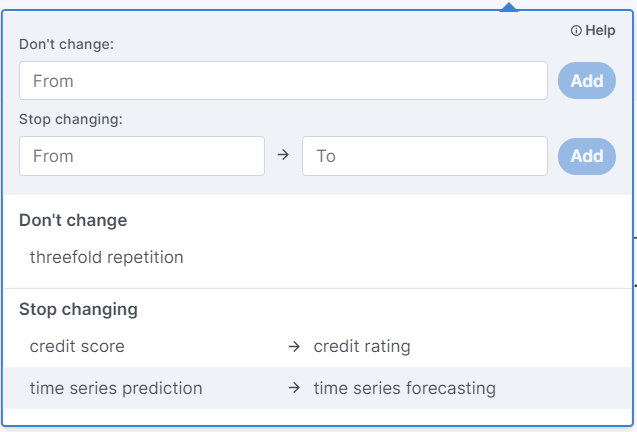
Users can switch between dialects (such as U.S. and U.K. English), adjust the level of formality (formal or informal), and use the Personal Dictionary to preserve field-specific terminology or preferred word choices. This helps ensure that edits remain consistent with the writer’s voice, domain, and stylistic preferences.
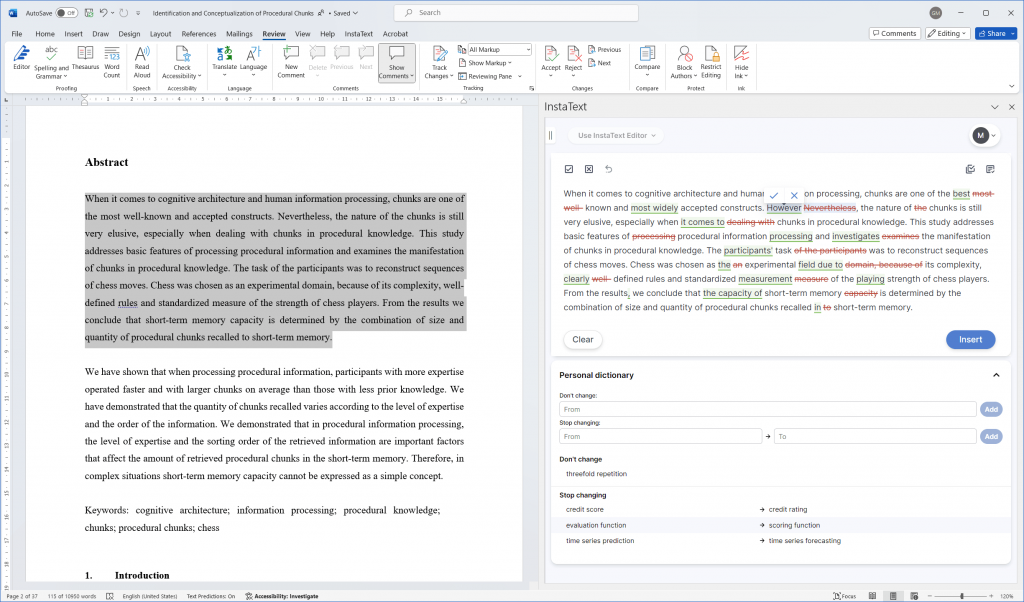
InstaText is also available as an add-in for Microsoft Word, allowing you to edit directly within Word or review suggestions through the Track Changes feature.
If you have not tried InstaText yet, you can start with the Free plan to see how deep editing and interactive feedback work in practice. If you are already a subscriber, you can check out the blog for further insights, tips, and real-world examples on how to get the most out of InstaText as an advanced editing assistant.
What our users say
“I am so impressed by InstaText. It’s just mindblowing. This is way beyond what Grammerly offers. It rephrases entire sentences and improves your wording and style. It’s by far the best I’ve come across. I honestly have never seen anything like it. Incredibly sophisticated. It’s by far the best app I’ve come across.”
— David Martins, E-Commerce Manager
“I am a translator and proofreader by profession and have tried many editing tools. It’s not an exaggeration to say that all the other apps I’ve used so far don’t come close to InstaText. It is literally innovative and revolutionary and has taken the editing game to a new level, leaving other competitors in the dust.”
— Dr. Ghodrat Hassani, Researcher in Translation Studies
“For me, InstaText has been a life changer. It’s way more than a writing and editing tool. It’s an experience. InstaText doesn’t have a multitude of functions, and that’s the beauty of it. It only does what it claims to do, and that’s to help you write more like a native speaker. And it does that in the best possible way.”
— Elham P. Mohammadi, Freelance Journalist, Writer and Editor