
InstaText now supports high-quality German editing! As of June 2025, InstaText users can improve their German writing with our new language support.
For years, InstaText has been the go-to editing assistant for thousands of professionals, academics, and everyday users around the world, helping them communicate effectively in English with the clarity and sophistication of a native speaker.
Now, you can use InstaText to polish all your German writing – from everyday messages and emails to blog posts, social media content, essays, research papers, reports, and professional documents.
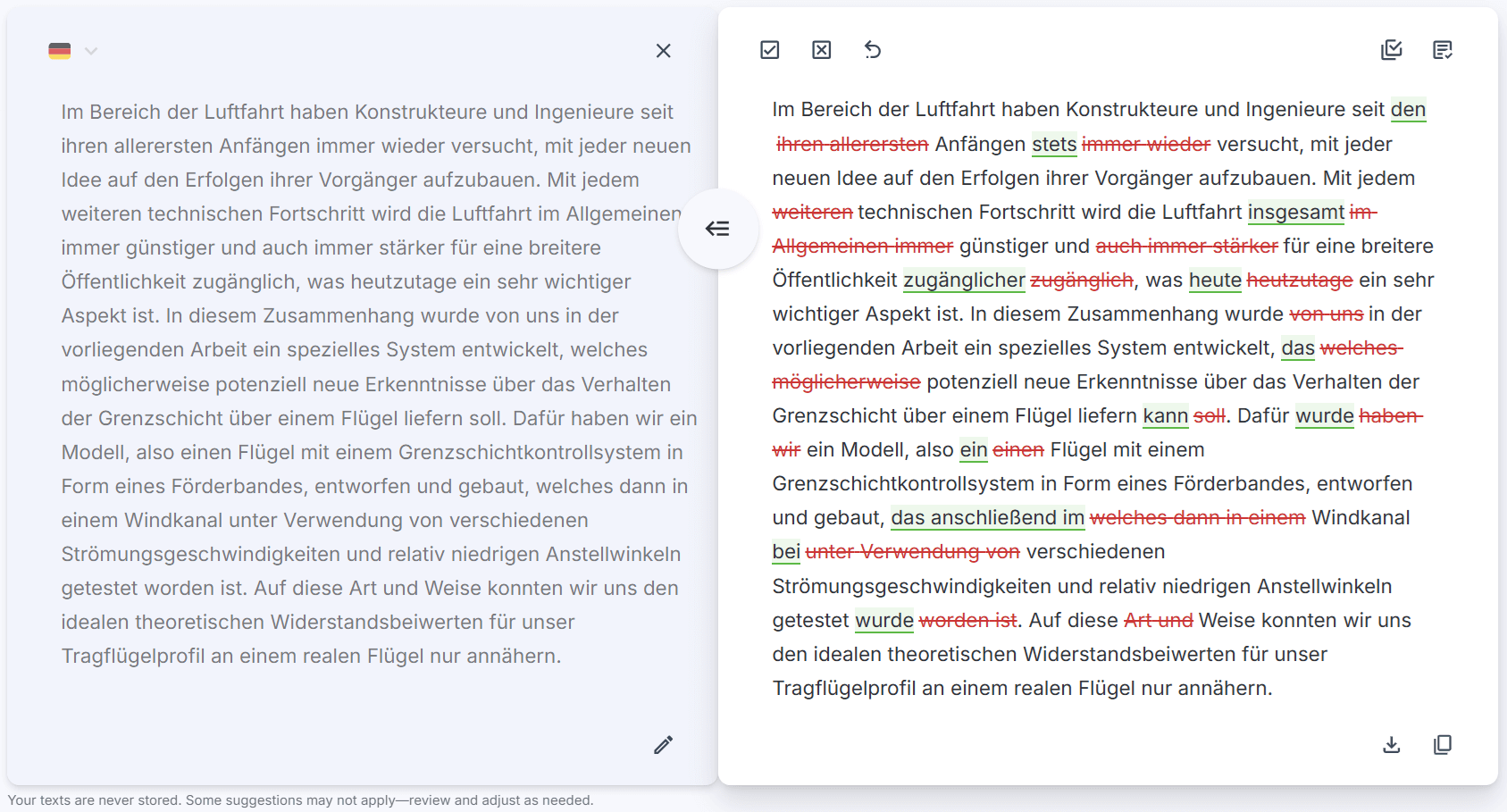
Our English editing remains our flagship, most advanced and professional-grade service, refined through years of data training. Meanwhile, we’re continuously improving our German language support to provide even better editing suggestions over time.
Why choose InstaText for German?
Greater speed and convenience: Many AI chatbots require switching apps or copying text, but InstaText provides instant suggestions directly where you write through integrations and a browser extension – from Gmail and WhatsApp to LinkedIn, Word, Google Docs, and Overleaf. No copy-pasting or waiting for responses required, making your editing process seamless and boosting productivity.


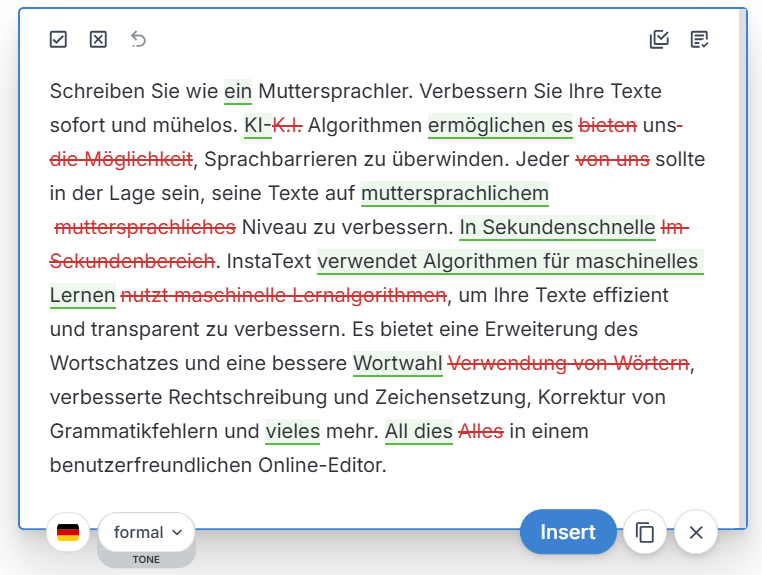
Deep editing: Unlike basic grammar checkers, InstaText doesn’t just correct mistakes. It transforms your writing by enhancing word choice, clarity, readability, and language accuracy, while preserving your authentic voice, authorship, and originality thanks to the technology behind it.
See also: ChatGPT vs. InstaText vs. Grammarly for writing
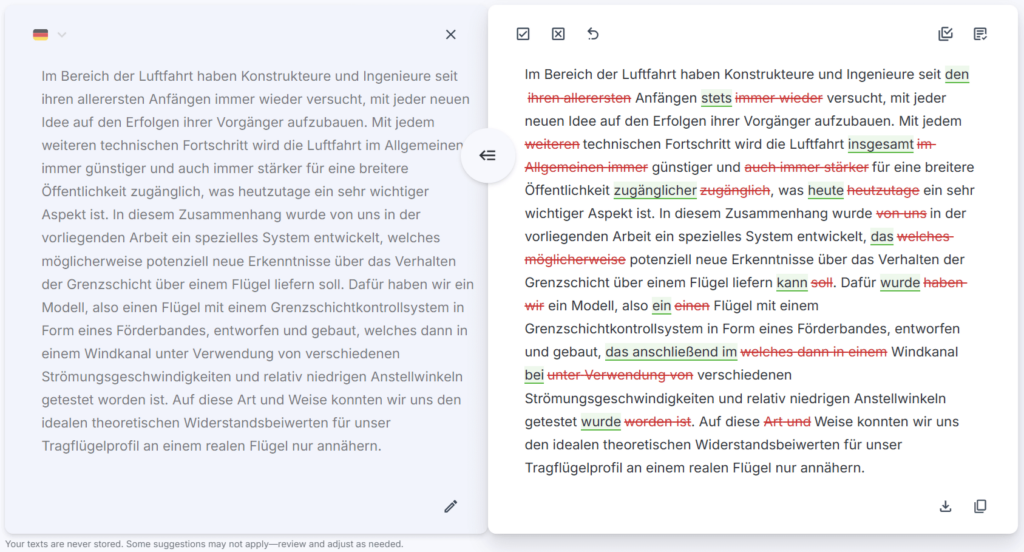
Upgrading your writing skills: InstaText’s interactive interface displays your original text alongside suggested edits, letting you easily compare both versions and thoughtfully accept or reject changes. By engaging with these edits, you can improve your writing skills over time.

See also: How InstaText improves writing and cognitive skills
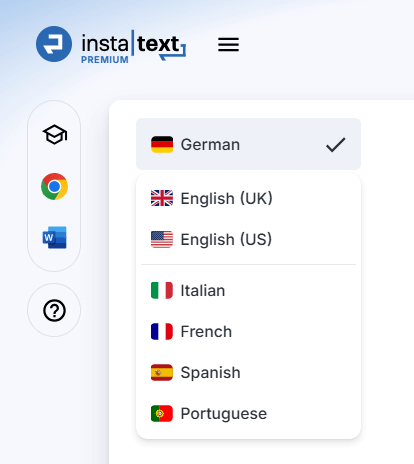
Remember, you can switch between German, English, and other supported languages at any time using the language dropdown menu in the Editor.
Getting started with German support
1. Create an InstaText account (if you don’t have one)
- Go to instatext.io and sign up.
- Complete the onboarding process – it’s quick and simple.
2. Access the InstaText Editor and select your language
- Once logged in, you’ll be able to access the Editor.
- Locate the language dropdown menu at the top of the Editor.
- Select German as your editing language (if not already set by default).
3. Start editing
- Paste or type your German text into the Editor box (or use the sample text to try out the Editor).
- Click “Improve.”
- Accept ✔️ the suggestions you like, or reject ❌ those that don’t apply.
- Copy or share the link to your improved text.
InstaText is an editing assistant for academics, writers, business professionals, and everyday users.
Notes
Install the browser extension for seamless editing across apps.
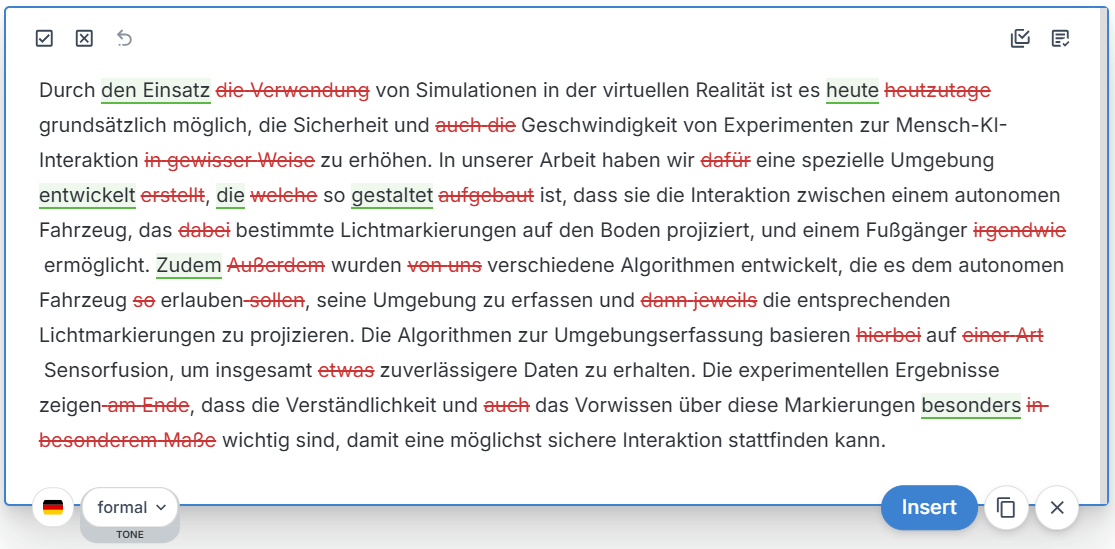
You can switch between German and English directly in the browser extension by choosing your preferred language from the dropdown menu.


Use Language settings to quickly switch tone (formal or informal), and add single words or word combinations to your Personal dictionary to preserve your professional language and style.

Frequently Asked Questions
Q: What types of writing can I improve with German editing?
A: You can improve all types of writing in German – from academic papers and professional emails to reports, essays, and everyday messages. InstaText delivers high-quality editing that enhances clarity, readability, accuracy, and overall impact while preserving your unique voice, intent, authorship, and originality.
Q: How is my local language assigned?
A: Your local language is automatically assigned based on your country at the time of sign-up.
Q: I’m from a German-speaking country, but I don’t have German enabled. What can I do?
A: Perhaps you signed up from a different country. No problem at all, please write to our Support team and we’ll enable German for you.
Q: I signed up from Germany, but I’m actually from another country (e.g. Denmark) and see German as my local language. Can I change it?
A: Yes, please contact our Support team. If your language is already supported, we’ll enable it for you. If not, rest assured that we’re actively working on adding more languages.

Q: Will using German affect my Premium English subscription?
A: No. The German feature is included at no extra cost and won’t affect your Premium English editing subscription.
Q: Can I switch back to English?
A: Absolutely! You can switch between German, English, and other supported languages at any time using the language dropdown menu in the Editor.
Q: Is InstaText an AI writer?
A: No, InstaText is not an AI writer – it’s an editing assistant. It uses advanced language technologies but not generative AI, which is the technology behind ChatGPT and similar tools. This means InstaText doesn’t create new content. It only improves the text you provide.

Q: Does InstaText produce AI-generated content?
A: No, InstaText uses advanced language technologies, but not generative AI. This means that InstaText only improves the existing text and does not create new content. Therefore, InstaText edits are not AI-generated, which helps you meet authorship and originality criteria, especially for publishing purposes.
Q: Does InstaText have a browser extension?
A: Yes, InstaText has a browser extension that lets you improve your writing directly within your browser. It works seamlessly across over 20 apps and web platforms.
Q: Can I use InstaText within Word?
A: Yes, InstaText is available as a Word add-in for both the online and classic versions. You can use Word’s built-in Track Changes to review suggestions. Find out how to use and install the InstaText for Word add-in here.

Q: Will Premium users get unlimited German editing?
A: Absolutely! Premium subscribers have unlimited access to both English and German editing with no character limits. This is included at no extra cost as part of our commitment to providing comprehensive editing support.
Q: How do I provide feedback?
A: You can send us feedback anytime using the “Send feedback” section at the bottom right of the Editor.

Ready to try?
With InstaText’s new German editing support, you can now write better, faster, and more confidently.
Ready to experience InstaText’s German support? Sign up or log in at instatext.io and select German in the Editor to see how InstaText can elevate your writing.
To make the most of your InstaText experience, visit our “How to use” and “Features” pages.
“I find InstaText very helpful. It makes me much faster in writing papers. I’m a perfectionist and usually spend (way too) much time finding the right words and making sure that sentences are easily readable even if the concepts are arbitrarily complicated. InstaText makes my life easier. I recommend it to any PhD student or researcher, whether a native English speaker or not.”
— Giulia Guidi, PhD Student, University of California, Berkeley
“For me, InstaText has been a life changer. It’s way more than a writing and editing tool. It’s an experience. InstaText doesn’t have a multitude of functions, and that’s the beauty of it. It only does what it claims to do, and that’s to help you write more like a native speaker. And it does that in the best possible way.”
— Elham P. Mohammadi, Freelance Journalist, Writer and Editor
“InstaText is a great tool! I use it to improve English texts such as articles, projects and abstracts for conferences. The tool provides very useful suggestions that help me to translate the text to a professional level so that no additional review by “native speakers” is required. The time and money savings are obvious. I highly recommend it!”
— Dr. Janez Konc, Senior Researcher

